
Crude Edible Oil Filtration Problems: Symptoms, Checks and Equipment Options
Slow flow, rapid filter blockage and cloudy outlet oil do not always have the same cause. Check oil temperature, solids load, particle condition, filter medium, pressure source and upstream settling before increasing pressure or changing equipment.
SinoOil component walkthrough · diagnostic context
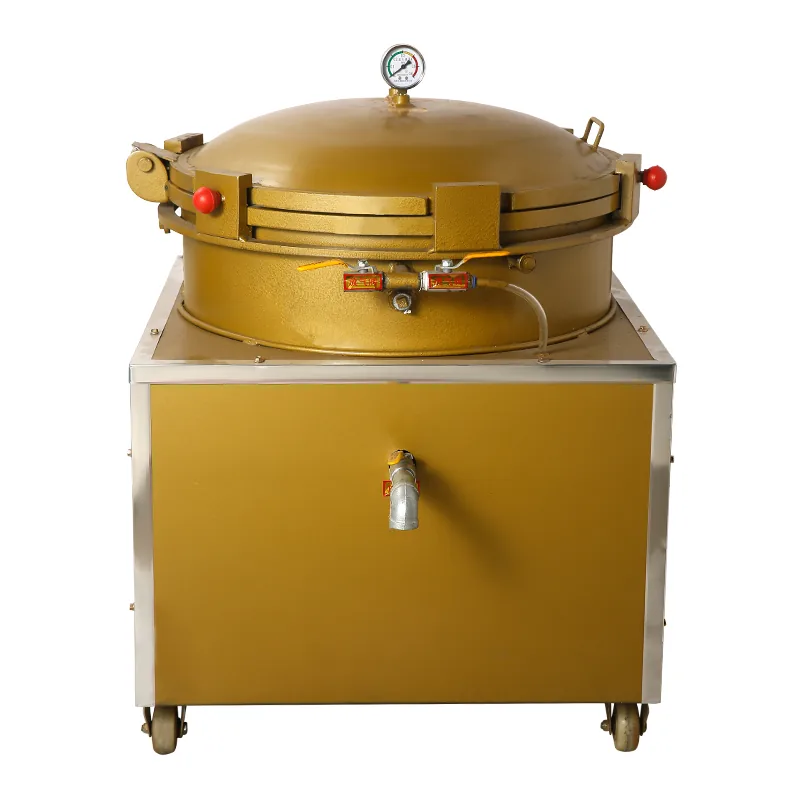
Identify the heated single-filter components before diagnosing slow flow
Troubleshooting starts with the real flow path and equipment condition. This walkthrough helps locate the filter cloth, heated vessel, outlet and mobile base before the page’s symptom-by-symptom checks are applied.
What to watch:
- Single pressure-leaf chamber and filter-cloth position
- Optional heating arrangement for viscous oil
- Outlet, access points and mobile machine layout
Source: SinoOil Machinery official YouTube channel. The clip identifies the shown hardware; it does not reproduce blocked cloth, cloudy oil or an unsafe pressure fault. Depressurize and follow the supplied manual before opening any vessel.
Short answer
Start with the symptom and operating record. A pressure increase can hide a blocked medium, unsuitable oil condition or upstream solids problem, and may create a new safety or quality risk.
Symptom-to-check matrix
| Symptom | Check first | Do not assume |
|---|---|---|
| Flow falls quickly | Solids load, pre-settling, medium condition and oil temperature. | That a larger pump is the answer. |
| Outlet remains cloudy | Particle size, bypass paths, sealing and filter-medium fit. | That higher pressure creates finer filtration. |
| Frequent cloth change | Upstream carryover, cake release, cleaning and medium selection. | That all filter cloth behaves the same. |
| Unstable pressure | Air supply, valves, leaks, feed condition and blockage. | That the pressure gauge alone identifies the cause. |
Diagnostic sequence
- Stop if the system is unsafe. Isolate stored pressure before opening any vessel or filter chamber.
- Record the oil condition. Note oil type, temperature, settling time and visible solids.
- Inspect the flow path. Check valves, hoses, pump or air source, seals and bypass routes.
- Inspect the medium. Record cloth type, installation, loading, cleaning and damage.
- Review upstream separation. Excess solids may need settling, screening or another clarification step before the final filter.
- Run one controlled change. Change one variable at a time and keep inlet/outlet samples.
Equipment options and decision boundaries
Single pneumatic filter
Review for batch filtration where one vessel suits the operating sequence.
Dual pneumatic filter
Review when alternating vessels may support cleaning and continued batch handling.
Heated configuration
Review only when controlled heat is part of the approved oil-conditioning duty.
Information to record for technical support
- Oil type, previous process, batch size and operating temperature.
- Filter-medium identification and installation date.
- Pressure behavior over time, flow behavior and change point.
- Photographs of inlet oil, outlet oil and retained solids.
- Valve positions, air or pump source and cleaning method.
Technical boundary
Filter-medium grade, pressure setting, operating temperature and cleaning method must be confirmed for the supplied machine and oil. General troubleshooting does not replace lockout, depressurization or the approved operating manual.
Technical review boundary
General selection and diagnostic guidance can be used for planning. Final model data, settings, limits, utilities, test conditions and acceptance criteria must come from the current approved technical file for the supplied machine. Fields without a recorded technical source remain pending review.
Frequently asked questions
Should I increase pressure when flow slows?
Not until blockage, valve position, medium condition and the machine limit are checked. Increasing pressure can be unsafe and may not solve the cause.
Why is filtered oil still cloudy?
Possible causes include particles smaller than the medium can retain, bypass around seals, unsuitable oil condition or continued upstream carryover.
When should I compare single and dual filters?
Compare them after batch sequence, cleaning time, continuity requirement and air supply are known.
Send the material, present process, required duty, utilities and target outlet condition.